edwinautas

Cómo hacer videos increíbles con IA

De una idea escrita a un video cinematográfico en minutos. Te muestro el proceso paso a paso, con dos videos reales y los prompts exactos que usé.

Paso a paso

Tu primer video en seis pasos

  1. 01

    Crea tu cuenta

    Entra a vidnerds.com y regístrate. Al empezar tienes acceso al estudio para generar imágenes y video.

  2. 02

    Abre el estudio y elige Nerd Motion

    Es el modelo de video. Escoge el modo de imágenes de referencia a video para que el resultado conserve a tu personaje y tu objeto.

  3. 03

    Sube tus referencias

    Una foto de la persona y otra del objeto o vehículo. Entre más nítidas, mejor se mantienen el rostro, la ropa y el diseño.

  4. 04

    Escribe el prompt como un director

    Indica la escena, qué pasa en cada segundo, cómo se mueve la cámara y qué debe evitarse. Abajo tienes dos ejemplos reales para copiar.

  5. 05

    Elige formato, calidad y duración

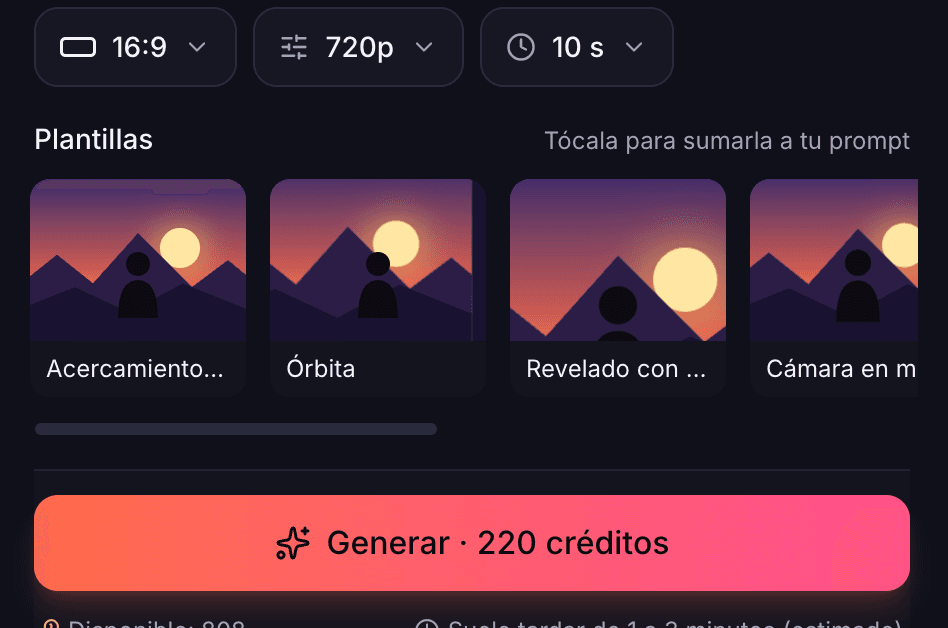
    Define 16:9, 9:16 o 1:1, la resolución y los segundos. El botón Generar te muestra el costo exacto en créditos antes de confirmar.

  6. 06

    Genera, mira y ajusta

    Cuando termine, el video queda en tu biblioteca. Si algo no te gusta, cambia una sola cosa del prompt y vuelve a intentar.

Antes de generar

Ves el costo antes de confirmar

En el estudio eliges formato, calidad y duración, y el botón Generar muestra cuántos créditos costará. Para probar ideas empieza en 720p; cuando ya tengas el resultado que buscas, súbelo a 1080p.

Costo en créditos de un video de 10 segundos con Nerd Motion
CalidadPor segundoVideo de 10 s
360p8 créditos80 créditos
720p22 créditos220 créditos
1080p Smart24 créditos240 créditos
1080p Studio32 créditos320 créditos

Nerd Motion incluye audio y llega hasta 30 segundos. Los costos pueden cambiar; confirma siempre en el estudio.

Estudio de vidnerds con formato 16:9, 720p, 10 segundos y el botón Generar con 220 créditos
Formato, calidad y duración en el estudio de vidnerds

Ejemplos reales

Dos videos, dos prompts

Estos videos se hicieron en vidnerds con el modelo Nerd Motion. Mira el resultado, los ajustes y copia el prompt completo para usarlo de base.

Ejemplo 1 · prompt c0cf403a

Escape en helicóptero

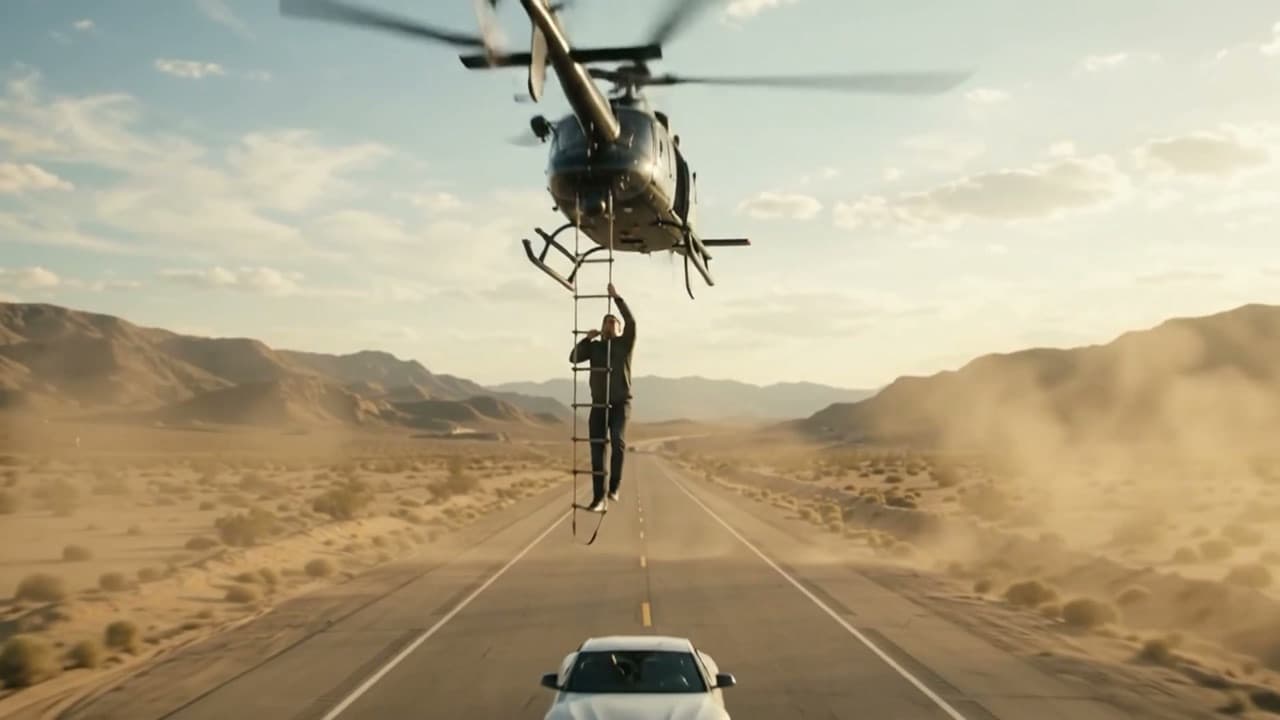
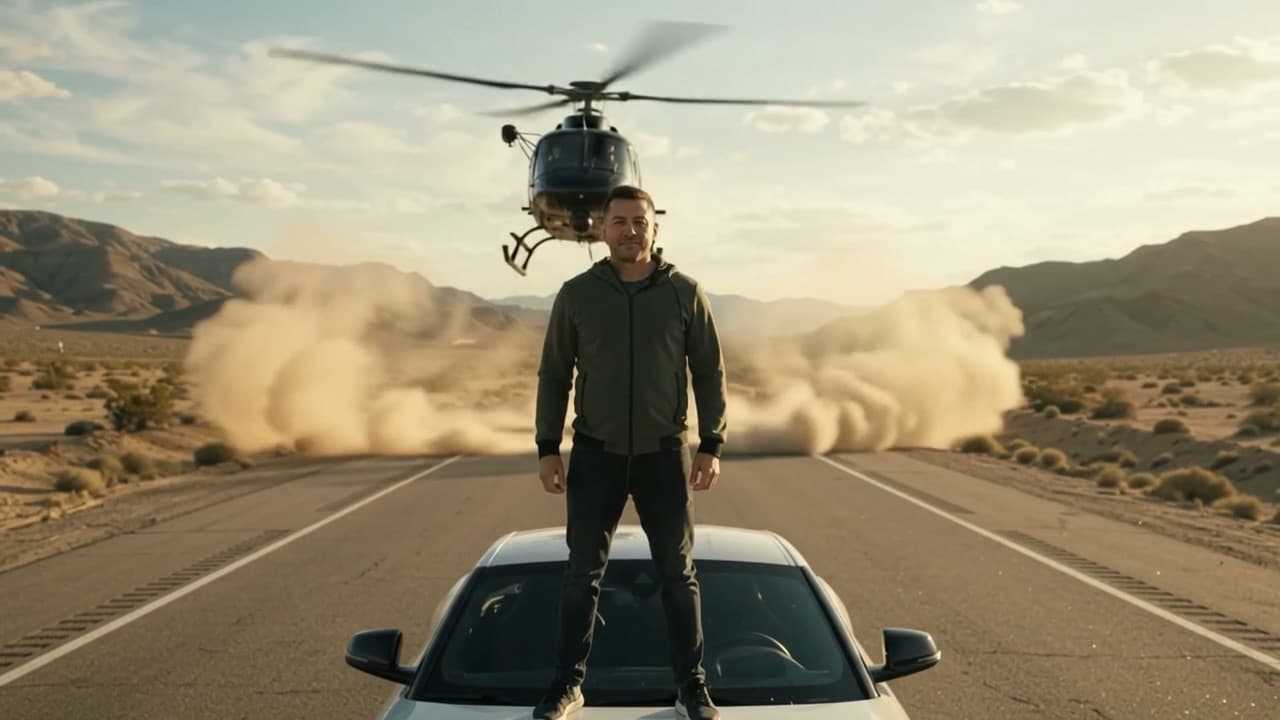
Un personaje sobre un auto deportivo es rescatado por un helicóptero en una carretera del desierto. Dos imágenes de referencia: la persona y el auto.
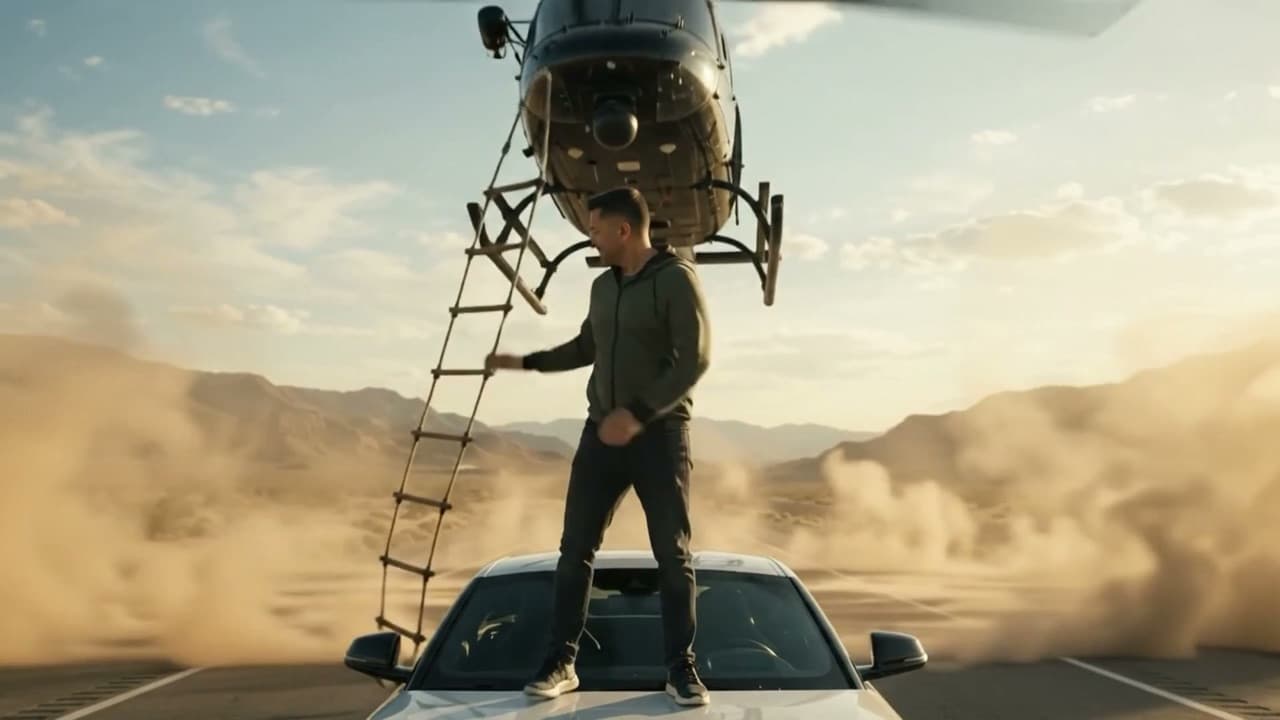
Escape en helicóptero: fotograma inicial
Inicio
Escape en helicóptero: fotograma central
Mitad
Escape en helicóptero: fotograma final
Final
Modelo
Nerd Motion
Duración
6 segundos
Calidad
1080p Smart · 16:9
Audio
Incluido
Referencias
2 imágenes
Costo
144 créditos
Ver el prompt completo+
Create an extraordinary, ultra-photorealistic 6-second cinematic action sequence using the reference images.

REFERENCE IMAGES:
@img1: The main character, wearing the same outfit.

@img2: The sports car. Reproduce its original design, proportions, color and distinctive features.

SCENE:
A spectacular Hollywood-style helicopter escape on a deserted highway surrounded by vast desert mountains during golden hour.

ACTION AND TIMING:

0–1.5 seconds: The main character stands confidently on the roof of the stationary sports car, looking directly at the camera. A large black helicopter approaches rapidly from behind, creating a dramatic cloud of dust.

1.5–3 seconds: The helicopter hovers just above the vehicle, its rotor wash moving the character's clothes and hair naturally. A rope ladder drops directly in front of the character.

3–4.5 seconds: The character grabs the rope ladder confidently and begins climbing as the helicopter smoothly lifts them upward above the car. The camera follows with a dramatic upward movement.

4.5–6 seconds: The helicopter accelerates forward over the desert highway, carrying the character in the air while the sports car remains below. The camera pulls back slightly to reveal the impressive desert landscape in one cinematic shot.

CINEMATOGRAPHY:
Hollywood blockbuster realism, anamorphic lens look, realistic helicopter motion, rotor physics, dramatic golden-hour sunlight, volumetric dust, cinematic camera movement, physically accurate shadows and natural motion blur.

OUTPUT:
One continuous shot, photorealistic, no cuts, no transitions, no duplicate characters, no extra limbs, no text, no logos, no watermark.
Ejemplo 2 · prompt 4bc6a8eb

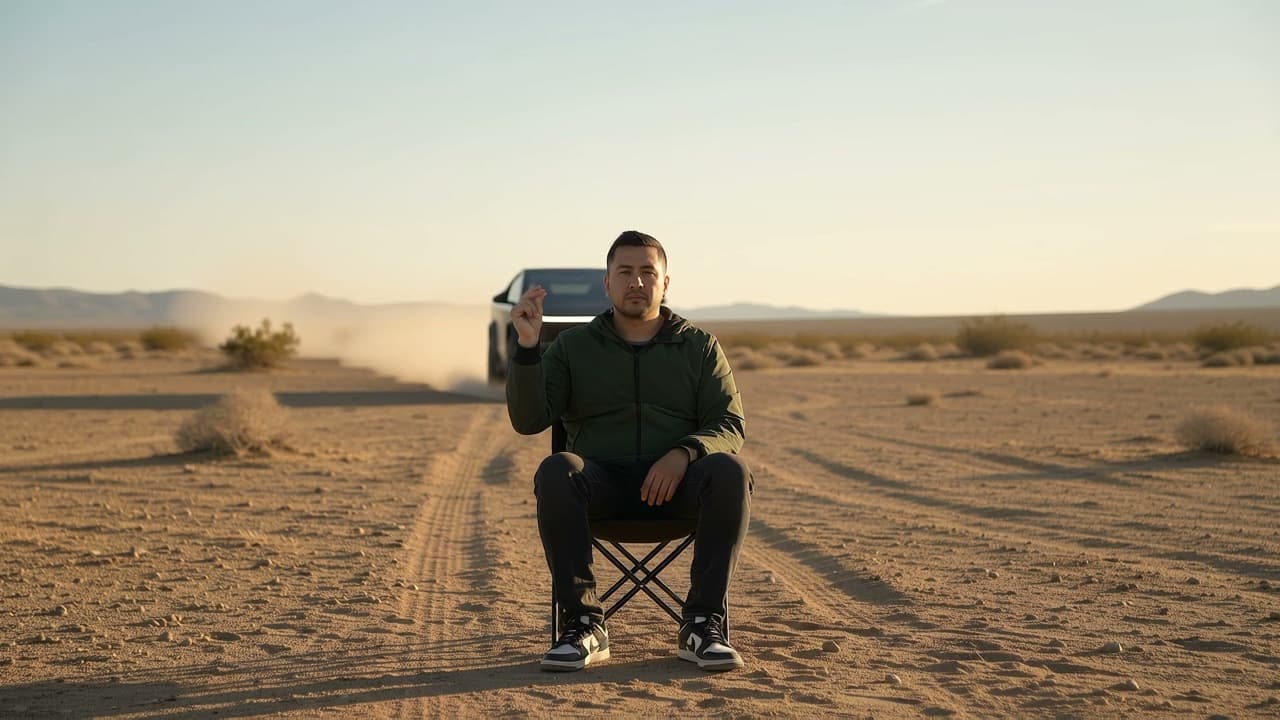
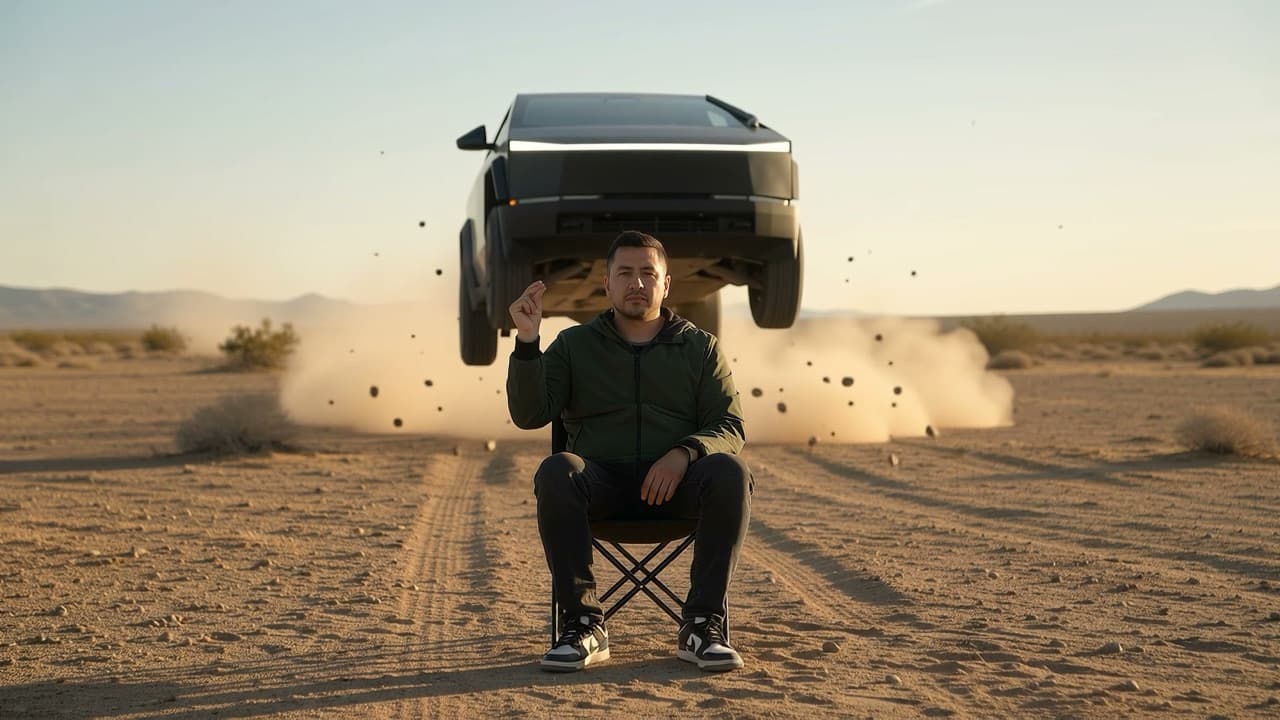
El auto que vuela detrás de ti

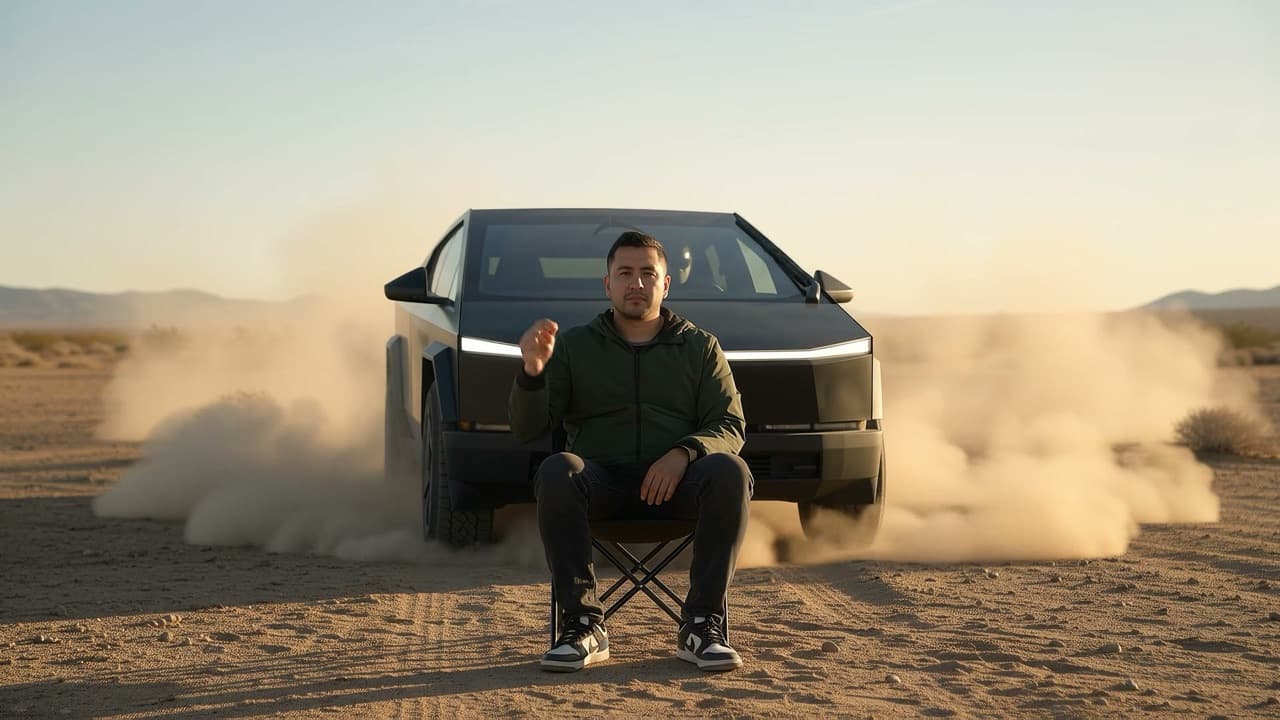
Una persona sentada y tranquila mientras un auto salta en cámara lenta justo detrás. Tres imágenes de referencia para mantener el rostro, la ropa y el vehículo.

El auto que vuela detrás de ti: fotograma inicial
Inicio
El auto que vuela detrás de ti: fotograma central
Mitad
El auto que vuela detrás de ti: fotograma final
Final
Modelo
Nerd Motion
Duración
8 segundos
Calidad
1080p Studio · 16:9
Referencias
3 imágenes
Costo
256 créditos

💡 El texto de este prompt menciona formato vertical y 13 segundos, pero el video se generó con los ajustes del estudio: 8 segundos en 16:9. Lo que eliges en el estudio (duración, formato, calidad) manda sobre lo que diga el texto.

Ver el prompt completo+
Vertical 9:16, 13 seconds, one continuous shot, no cuts.
Photorealistic cinematic car-commercial look.

SUBJECT: the person from @image1. Keep face, hairstyle, accessories and outfit exactly as in the reference. They sit centered in frame on a low black folding camping chair with a short backrest, knees apart, feet flat on the ground, one hand resting on the lap, the other hand raised at shoulder height in a ready-to-snap pose (thumb and middle finger pressed together). Calm, deadpan expression, looking straight into the lens.

VEHICLE: the car from @image2. Keep exact model, body shape, color, wheels, lights and badges as in the reference. It always faces the camera head-on.

LOCATION: wide flat high-desert plain. Foreground of dry, compacted brown-ochre dirt scattered with small pebbles and gravel. Sparse dry scrub in the mid-ground, a blue-grey mountain range low on the horizon, pale blue sky with a thin horizontal band of soft clouds just above the mountains. Golden hour: low warm sun from the side and behind, amber light glowing through the dust, soft long shadows.

CAMERA: locked-off tripod, no movement, no zoom. Low camera height (seated chest level), perfectly centered symmetrical framing, telephoto lens (~100mm) with strong perspective compression, shallow depth of field: subject tack-sharp, background softly blurred. Subtle film grain, natural contrast, cool blue sky vs warm amber ground.

TIMELINE:
0.0–2.4s: real time. The subject sits completely still with the hand raised. Far behind, the car drives straight toward the camera at high speed, dust trails spraying on both sides, growing larger in frame.

2.4s: the subject snaps their fingers once, crisp and sharp, then freezes the hand in the same raised position. On the snap, the car, now a few meters behind the chair, hits a small rise and launches, nose lifting.

2.7–5.2s: smooth speed ramp into slow motion (~25% speed). The car floats directly behind and above the subject, nose toward the camera, all four wheels off the ground, suspension fully extended, tires hanging, dust and small stones suspended in the air beneath it, backlit in gold. The subject stays perfectly still and unbothered, hand still raised.

5.2–6.0s: speed ramps back to real time. The car drops and lands hard right behind the chair, suspension compressing, a burst of dust kicking up. It stops directly behind the subject, fully visible, daytime running lights on, never touching the subject.

6.0–13.0s: real time. A light, warm golden dust cloud rises and drifts behind and around the car, the car always stays visible through it. Around 7s the subject slowly lowers the hand onto the lap and keeps looking at the camera. The dust gradually thins and fades away until the car stands clean and clear behind the seated subject. Hold the final composition.

AVOID: camera shake or movement, cuts, zoom, any change to face, outfit or car design, the subject flinching or turning around, the car passing over or hitting the subject, extra people or vehicles, text, watermarks, morphing, distorted hands or fingers.

Anatomía de un buen prompt

Lo que aprendí de estos dos videos

Una sola toma continua

Pide «one continuous shot, no cuts». Los cortes suelen confundir al modelo.

Divide la acción por tiempos

Escribe «0–1.5 s», «1.5–3 s»… así controlas qué pasa y cuándo.

Fija la cámara

Define lente, altura y movimiento: «locked-off tripod», «sigue hacia arriba», «se aleja un poco».

Cierra con lo que NO quieres

Termina con una lista de evitar: texto, marcas de agua, extremidades extra, cambios en el rostro.

Haz el tuyo hoy

Entra a vidnerds, sube tus referencias y copia uno de los prompts. Y si quieres más guías como esta, suscríbete.

Ir a vidnerds.com ↗